AI that
welcomes you.
A complete touch kiosk with an AI assistant, DELL speaker and remote management.
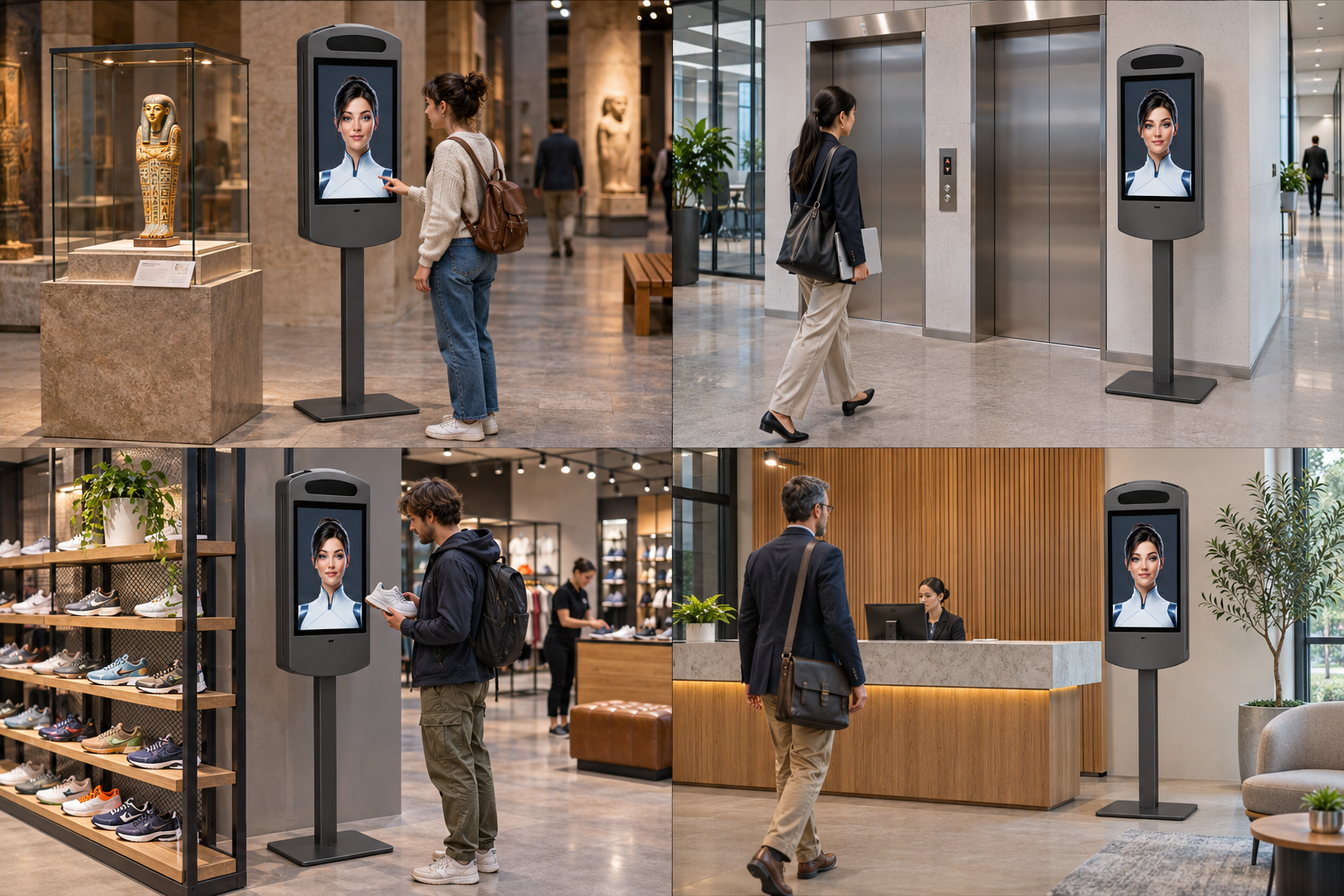
Right where it makes sense.
Four concrete situations. The kiosk stands right next to what it helps the visitor with — an exhibit, elevators or a shelf.
Conceptual installation visualizations. We prepare the assistant’s content and scenarios for your specific space.
Put a kiosk
next to yourself.
Choose a display and set the figure height. The kiosk and the person are shown at the same scale. The assistant’s eyes stay 165 cm above the floor in every variant.
A face at 165 cm.
The shared constant is the assistant’s eye axis. The overall structure height varies with the monitor.
Construction follows the LCD.
We derive the body and leg from the dimensions of the specific monitor, including the bezel.
Natural aspect ratio.
Both the active LCD and the monitor body are shown according to the manufacturer’s dimensions.
Compare design dimensions of the full range
| LCD | Active area w × h | Portrait monitor w × h | Visible leg | Structure height | Reference model / source |
|---|
LCD and monitor dimensions without stand are based on the listed reference models from iiyama and Beetronics, rotated to portrait. The kiosk design allows 100 mm above the monitor, 90 mm below it and 10 mm on the sides. The eye axis in the assistant artwork is set to 165 cm; the overall height and leg are calculated from it. The face position must be preserved in the deployed content as well. Enclosure dimensions, base, mounting and control placement will be verified before production. The human eye axis is indicative only.
Thought through
from every side.
Take a closer look at the speaker, the display and service access.
The voice has its place.
The DELL conference speaker is integrated above the display. Visual and voice communication form a single whole.
Your AI.
Your personality.
Appearance and language matched to your brand. Choose an assistant, a guide or your own mascot.
A professional assistant to welcome visitors, provide orientation and answer common questions.
A personality that fits your brand.
Answers built from materials for your space.
Remote control and reports as specified.
On site with people.
Under control from anywhere.
Manage kiosks remotely via CMS and work with the collected data. We tailor the scope of management and reporting to your project.
One place for management
Kiosk content and settings remotely.
Data outputs
Reports tailored to your installation goals.
Multilingual content
Communication for local and international guests.
Complete solution
LCD, DELL conference speaker and AI.
What you ask
most often
Everything important before your AI gets its own place.
What is included in the complete solution?
A touch LCD kiosk, a DELL conference speaker and an AI assistant on the display. We complement the solution with content setup, languages, remote management via CMS and the required data outputs.
What display sizes do you offer?
The range covers diagonals from 21.5″ to 55″. For every size we set the assistant’s face at 165 cm above the floor. We derive body dimensions and leg length from the specific monitor, so overall kiosk heights may differ. We verify the final design for the selected panel and placement.
How does kiosk installation work?
First we specify the placement, LCD size and the assistant’s tasks. Then we prepare the construction, content and languages, and arrange power, network connection and mounting. The installation scope is determined for the specific space.
Can the AI assistant’s appearance be customized to our brand?
Yes. You can choose a woman, a man, an animal mascot or a custom character. We align the appearance, voice and communication style with your brand and visitors.
Which languages can the assistant communicate in?
We select the required languages during project preparation. We can design Czech and English communication as well as other language combinations; specific language and voice support is verified when designing the solution.
Where does the AI get its information?
We prepare the content from your materials — for example information about the building, shops, services or exhibition. The scope of knowledge and any integrations with other systems are defined in the project brief.
How does remote management via CMS work?
Kiosks, their content and settings can be managed remotely via CMS. Depending on the project, we set up the required connection and management scope for one kiosk or multiple devices.
What reports and data do we get?
The solution provides outputs from collected data. Specific metrics, collection scope, report format and possible exports are defined together based on what you need to evaluate.
How is visitor privacy handled?
Before deployment we clarify what data is processed, why and how long it is retained. Data collection settings and visitor information are adapted to the specific installation.
How much does the solution cost and when can it be ready?
Price and timeline depend on kiosk size, assistant appearance, content, languages and any integrations. For a specific quote, prepare a basic brief using the form on this page.
Give your AI a face.
We will choose a kiosk, assistant appearance and languages for your space.